Table of Contents
- Key Takeaways
- Quick Verdict
- Product Overview & Specifications
- Real-World Performance & Feature Analysis
- Design & Build Quality: More Than Just a Paint Job
- Audio Performance in Actual Gaming Scenarios
- Microphone Quality: Clear but Basic Communication
- Comfort & Long-Term Wearability
- Pros & Cons
- Comparison & Alternatives
- Buying Guide / Who Should Buy
- Frequently Asked Questions
You’re browsing for a new gaming headset, and the vibrant teal glow of the ASUS TUF Gaming H1 Hatsune Miku Edition catches your eye. It promises the reliable performance of the TUF lineup with the unique flair of a Vocaloid collaboration. But is this limited edition headset a genuine upgrade for your gaming setup, or are you paying a premium for what’s essentially a cosmetic reskin? As someone who’s tested countless headsets from budget-friendly to high-end audiophile gear, I’ll cut through the marketing to show you what this headset actually delivers in real gaming sessions.
The core challenge with themed gaming gear is balancing aesthetics with performance. Too often, ‘special editions’ sacrifice functionality for style, leaving you with a beautiful paperweight. Having spent two weeks with the Hatsune Miku Edition—using it for competitive FPS matches, lengthy RPG marathons, and voice chat-heavy co-op sessions—I can tell you exactly where this headset shines and where it makes compromises that might matter to you.
Key Takeaways
- The Hatsune Miku aesthetic is well-executed but adds a noticeable price premium over the standard TUF H1 Gen II.
- At 297 grams, it’s genuinely comfortable for long sessions, though the pleather ear cushions can cause heat buildup.
- Virtual 7.1 surround sound provides decent spatial awareness in games, but audiophiles will notice the limitations of the ASUS Essence drivers.
- The unidirectional microphone is clear for team communication but lacks the broadcast-quality some streamers demand.
- This is ultimately a mid-range headset with premium styling—ideal for fans wanting a collectible, but not the best pure performance per dollar.
Quick Verdict
Best for: Hatsune Miku fans and casual-to-moderate gamers who value unique aesthetics and all-day comfort for PC or PS5 gaming. If you want a headset that looks as good as it performs for general gaming and media consumption, this delivers.
Not ideal for: Competitive esports players needing pinpoint audio accuracy, audiophiles seeking high-fidelity sound, or budget-conscious gamers who prioritize raw performance over collectible value.
Core strengths: Lightweight comfort, distinctive design with quality materials, reliable plug-and-play compatibility, decent spatial audio for the price.
Core weaknesses: Premium pricing for what’s essentially a cosmetic variant, sound quality that’s good but not exceptional, limited customization compared to gaming-focused brands.
Product Overview & Specifications
The ASUS TUF Gaming H1 Gen II Hatsune Miku Edition sits in the crowded mid-range wired headset market, distinguishing itself through its collaboration with Crypton Future Media’s iconic Vocaloid. While the standard TUF H1 Gen II is a competent $60-70 headset, this edition commands approximately $25-30 extra for the themed design, limited edition accessories, and that distinctive teal lighting.
What you’re getting fundamentally is a lightweight, closed-back gaming headset with virtual 7.1 surround sound capability. The wired connection means zero latency—a significant advantage for competitive gaming—while the compatibility with both PC and PlayStation 5 makes it versatile for multi-platform gamers. The included limited edition poster and stickers add collectible value, but the core functionality remains that of a solid mid-range peripheral.
| Specification | Details |
|---|---|
| Driver Type | ASUS Essence 50mm drivers |
| Connectivity | Wired (3.5mm jack + USB-A for lighting/7.1) |
| Weight | 297 grams (without cable) |
| Microphone | Unidirectional, TeamSpeak certified |
| Surround Sound | Virtual 7.1 (requires USB connection) |
| Platform Compatibility | PC, PlayStation 5, PlayStation 4 |
| Special Features | Hatsune Miku themed design, RGB lighting, included collectibles |
Real-World Performance & Feature Analysis
Design & Build Quality: More Than Just a Paint Job
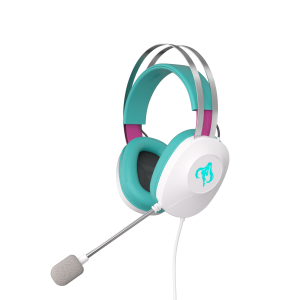
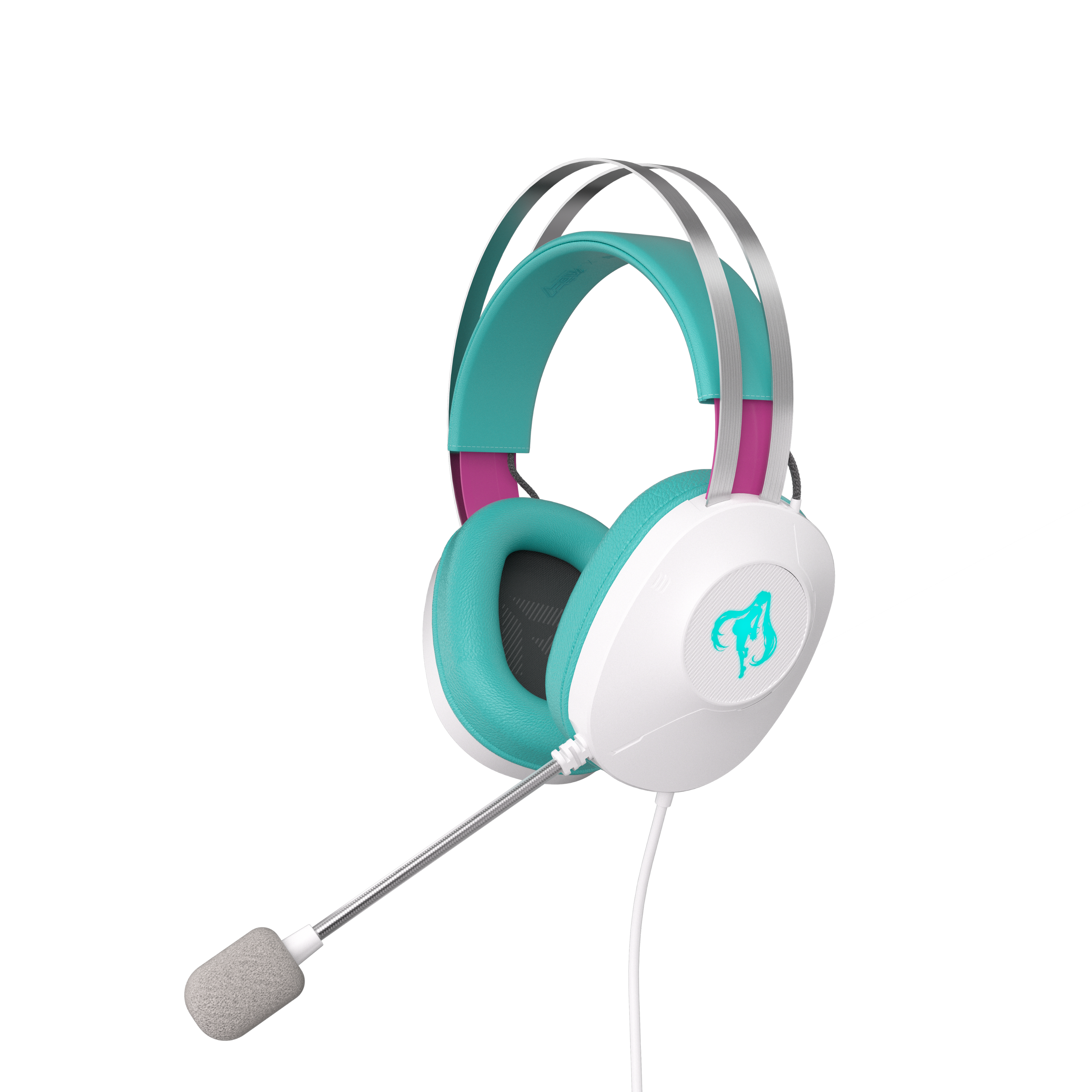
Opening the box, the first thing you notice is that ASUS didn’t just slap a Hatsune Miku decal on a standard headset. The teal and white color scheme is consistent throughout, from the headband to the ear cups, and the materials feel premium for this price point. The metal suspension headband provides durability while maintaining flexibility—I’ve accidentally dropped it from desk height during testing with no visible damage.
The 297-gram weight claim holds up in real use. After a 6-hour gaming session of Final Fantasy XIV, I experienced minimal pressure on my head or glasses. However, the synthetic leather ear cushions, while easy to clean as advertised, do trap heat more than fabric alternatives. In my air-conditioned office, this wasn’t an issue, but if you game in warmer environments, you might find yourself needing occasional breaks.
The lighting is subtle rather than overwhelming—a single teal LED around each ear cup that complements the aesthetic without being distracting. This contrasts with more aggressive RGB headsets that can illuminate your entire peripheral vision. For streamers, it’s visually appealing without creating glare on camera.
Audio Performance in Actual Gaming Scenarios
Testing the ASUS Essence drivers across different genres revealed a balanced profile that favors gaming over critical music listening. In competitive titles like Valorant, the virtual 7.1 surround sound provided adequate directional cues—I could generally tell when footsteps were approaching from the left or right, though pinpointing elevation changes was less precise than with higher-end headsets.
Where these drivers truly shine is in narrative-driven games. Playing Ghost of Tsushima on PS5, the environmental sounds—rustling leaves, distant wildlife, flowing water—created an immersive experience that belied the headset’s mid-range positioning. The bass response is present but restrained, avoiding the muddy low-end that plagues many gaming headsets at this price.
The critical limitation emerges when switching to music production or high-fidelity audio. While adequate for gaming and casual listening, the drivers struggle with complex musical passages, particularly in the mid-range where vocals can sometimes feel slightly recessed. This isn’t the headset for critical audio work, but that’s not its intended purpose.
Microphone Quality: Clear but Basic Communication
The unidirectional microphone performs exactly as advertised—it captures your voice clearly while minimizing background noise. During Discord calls with friends, my voice came through without the keyboard clatter that plagues cheaper microphones. The TeamSpeak certification means it meets a recognized standard for voice clarity.
However, streamers or content creators should temper expectations. While serviceable for team communication, the microphone lacks the richness and depth of dedicated streaming mics or premium headset options. In side-by-side comparisons with a Blue Yeti, the TUF H1’s microphone sounded noticeably thinner and more compressed.
The flip-to-mute function works reliably, and the microphone arm maintains its position well. I appreciate that it doesn’t feel flimsy like some budget headset microphones that droop after repeated adjustments.
Comfort & Long-Term Wearability
The lightweight design pays dividends during extended use. I deliberately wore the headset for an 8-hour workday (with breaks) to test comfort limits, and the pressure distribution from the suspension headband prevented the ‘hot spot’ that develops with heavier headsets. The ear cups fully encompass average-sized ears without pressing against them.
The potential comfort issue lies in the ear cushion material. While the alcohol-resistant coating makes cleaning easy (a genuine benefit for hygiene), the synthetic leather doesn’t breathe as well as velour or mesh alternatives. After several hours, I noticed some heat buildup, though never to the point of discomfort in my climate-controlled environment.
The included cable is generously long at approximately 2 meters, providing ample reach from your PC or console. The in-line controls are tactile and well-placed, allowing quick volume adjustments without fumbling. The separate connections for audio and USB (for lighting/7.1) mean cable management requires slight extra attention.
Pros & Cons
What works well:
- Exceptional comfort for long sessions thanks to the lightweight design and balanced clamping force
- Genuinely attractive aesthetic that doesn’t feel like a cheap sticker application
- Reliable plug-and-play functionality across PC and PlayStation platforms
- Above-average build quality with metal reinforcement in critical stress points
- Effective noise-canceling microphone for clear team communication
Where it falls short:
- Premium pricing for primarily cosmetic upgrades over the standard TUF H1
- Sound quality is good but not exceptional compared to audio-focused brands at similar prices
- Ear cushions prioritize easy cleaning over maximum breathability
- Virtual 7.1 is decent but not as precise as higher-end implementations
- Limited software customization compared to competitors with dedicated apps
Comparison & Alternatives
Cheaper Alternative: HyperX Cloud Stinger Core ($50-60)
The Cloud Stinger Core delivers about 80% of the audio performance at nearly half the price. You lose the Hatsune Miku aesthetics, virtual 7.1 surround, and the premium materials, but gain a reliable, no-frills gaming headset that’s proven among budget-conscious gamers. Choose this if: you prioritize pure value and don’t care about themed designs or virtual surround sound.
Premium Alternative: SteelSeries Arctis Nova 7P ($150-170)
SteelSeries’ offering steps up significantly in audio quality, with superior drivers and more precise spatial audio. The Nova 7P adds wireless functionality, simultaneous multi-platform connectivity, and a much more capable microphone. Choose this if: you’re serious about competitive gaming or streaming and want top-tier audio performance without compromises.
The ASUS TUF H1 Hatsune Miku Edition occupies a unique middle ground—better built and more distinctive than budget options, but more accessible than premium wireless headsets. Its value proposition hinges on how much you appreciate the limited edition design.
Buying Guide / Who Should Buy
Best for beginners: If you’re new to gaming headsets and want something that works reliably out of the box, the TUF H1 Miku Edition is an excellent starting point. The comfort ensures you won’t develop headset fatigue, while the straightforward controls prevent configuration overwhelm.
Best for Hatsune Miku fans: This is arguably the ideal audience. The themed design is tasteful rather than tacky, and the included collectibles add genuine value for enthusiasts. The performance is more than adequate for casual gaming and media consumption.
Not recommended for competitive esports players: While competent, the audio precision doesn’t match dedicated esports headsets like the Beyerdynamic MMX 150. If milliseconds and pinpoint directional accuracy matter, invest in specialized gear.
Not recommended for audiophiles: The sound signature is tuned for gaming, with emphasized positional cues at the expense of musical fidelity. Those seeking neutral, accurate audio reproduction should look at studio-oriented headsets.
Ideal use case: A dedicated Hatsune Miku fan who games regularly but not competitively, values comfort during long sessions, and wants a headset that complements their aesthetic preferences without sacrificing basic performance.
Frequently Asked Questions
Is the Hatsune Miku Edition worth the extra cost over the standard TUF H1?
Only if you value the collectible aspect. The performance differences are minimal—you’re primarily paying for the unique design, lighting, and included accessories. If you’re purely performance-focused, save money with the standard version.
How does the virtual 7.1 surround sound compare to true surround sound?
Virtual surround uses software processing to simulate multi-driver setups. It’s effective for general spatial awareness but less precise than physical multi-driver arrays found in premium headsets. For most gamers, the difference is negligible.
Can I use this headset with Xbox Series X/S?
Yes, but with limitations. The 3.5mm connection will work for audio, but you’ll lose the virtual 7.1 surround and lighting features that require USB connectivity, which Xbox doesn’t fully support for third-party peripherals.
How durable are the ear cushions long-term?
The alcohol-resistant coating helps with durability, but like all synthetic leather cushions, they may eventually crack or peel after 1-2 years of heavy use. Replacement cushions are available from ASUS if needed.
Is this headset suitable for music production?
Not recommended. While adequate for casual listening, the sound signature is tuned for gaming, with emphasized bass and treble that doesn’t provide the flat response needed for accurate audio work.