Table of Contents
You’re looking at the Womier S K80 75 and wondering if this gasket-mounted keyboard with its flashy display is the real deal or just another budget compromise. I’ve spent the past month typing code, gaming, and editing documents on this keyboard, and I can tell you it sits in a fascinating middle ground. It’s not just about the specs—it’s about how those specs translate to the daily grind. The real question isn’t “Is it good?” but “Is it good for you?”
Key Takeaways
- The gasket mount delivers a noticeably softer, more cushioned typing feel compared to tray-mount budget boards, but don’t expect a high-end custom keyboard experience.
- The display is more fun than functional—great for personalization but offers limited practical utility beyond basic system stats.
- Hot-swappable sockets make it an excellent platform for beginners to experiment with different switches without soldering.
- Build quality is solid for the price, but the plastic case lacks the heft and premium feel of more expensive alternatives.
- Value is the main selling point—you get features typically found on keyboards costing twice as much, with some understandable trade-offs.
Quick Verdict
Best for: Budget-conscious enthusiasts, first-time mechanical keyboard buyers, gamers who want customization without breaking the bank, and anyone wanting to try a gasket mount feel at an entry price.
Not ideal for: Audiophiles seeking the perfect thock, professionals needing extensive macro programming, or users who prioritize a heavy, premium build quality above all else.
Core strengths: Excellent value proposition, genuinely comfortable gasket-mounted typing experience, beginner-friendly hot-swap design, and unique visual customization with the display.
Core weaknesses: Mediactory stock stabilizers that likely need modding, software can be clunky, and the overall sound profile is decent but not exceptional out of the box.
Product Overview & Specifications
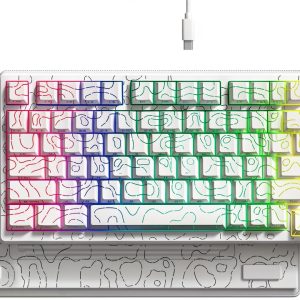
The Womier S K80 75 positions itself as a feature-packed entry into the world of custom mechanical keyboards. At its core, it’s a 75% layout board, meaning you get the arrow keys and a column of navigation keys while saving significant desk space compared to a full-size keyboard. The headline feature is the gasket mount system, where the internal plate is suspended on rubber gaskets instead of being screwed directly into the case. This design aims to absorb typing vibrations for a softer, more consistent feel across the board.
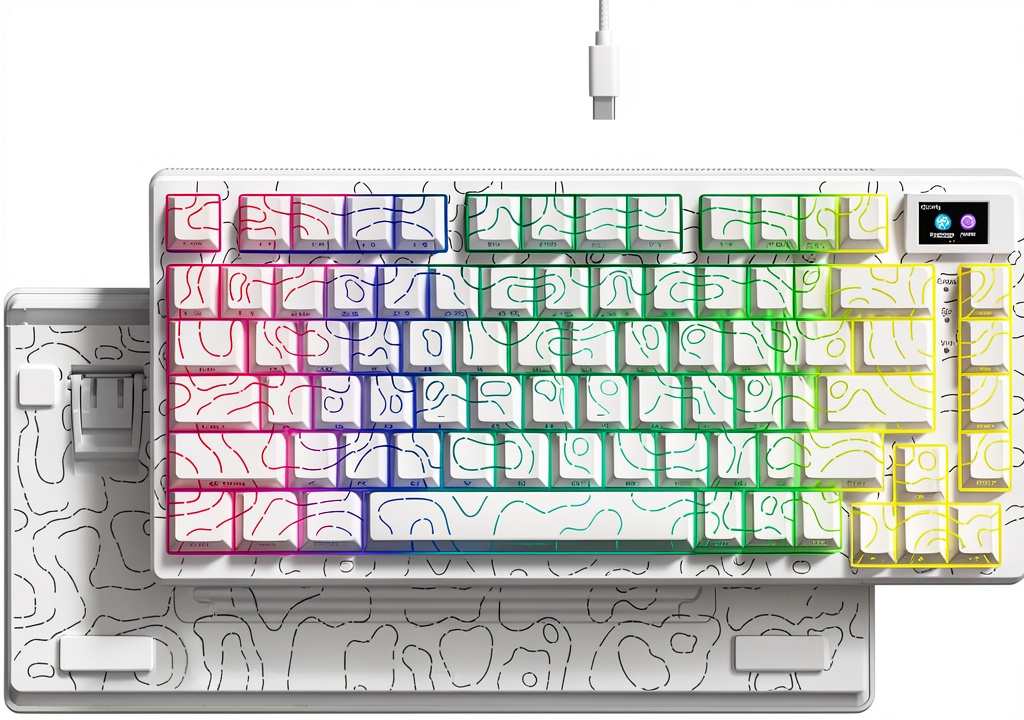
The included keycaps are cherry profile, which is a popular choice for its comfortable sculpted shape, and the switches are pre-lubed linear switches, aimed at providing a smooth experience right out of the box. The hot-swappable PCB is a major plus, supporting both 3-pin and 5-pin switches, making customization accessible to anyone. The 11-degree angled display in the top right corner is arguably its most distinctive feature, capable of showing custom GIFs, battery status (if wireless—though this model appears to be wired-only), and other system information.
| Specification | Details |
|---|---|
| Layout | 75% (84 keys) |
| Mounting Style | Gasket Mount |
| Keycap Profile | Cherry Profile, ABS |
| Switch Type | Pre-lubed Linear (Hot-swappable) |
| PCB Support | 3-pin & 5-pin Switches |
| Connectivity | Wired, Detachable USB Type-C |
| Backlighting | RGB, South-Facing LEDs |
| Special Feature | 1.14″ IPS Display |
| Plate Material | EVA |
| Internal Sound Dampening Foam |
Real-World Performance & Feature Analysis
Design & Build Quality
Unboxing the Womier S K80, the first thing you notice is that it’s surprisingly light. Weighing in at around 700g, it doesn’t have the heft of an aluminum-bodied keyboard. The plastic case feels durable enough for daily use but has a slight hollow sound when tapped. This is common in this price range. The finish is good, with no visible seams or imperfections on my review unit. The 75% layout is a sweet spot for many—it’s compact but doesn’t force you to memorize layers for arrow keys like a 65% board. The included keycaps have a decent texture, but as with most ABS caps, they will likely develop shine over time.
The star of the show, the display, is bright and crisp. Uploading a custom GIF is a fun weekend project, but in practice, I found myself setting it to a simple clock or system stat display. It’s a novelty that adds personality, but it’s not a core functional upgrade. The USB-C port is centrally mounted and sturdy, a small but appreciated detail that prevents cable strain.
Performance in Real Use: Typing & Gaming
This is where the gasket mount makes its case. Compared to a rigid tray-mount keyboard like the Royal Kludge RK84, the typing feel is undeniably softer. There’s a slight bounce with each keystroke that reduces finger fatigue during long coding sessions. It’s not the pillowy, muted feel of a high-end custom with multiple layers of foam, but it’s a significant step up from entry-level boards. The pre-lubed linear switches are smooth with minimal scratchiness, but they lack the refined sound of aftermarket switches like Gateron Yellows or Akko CS Silvers.
For gaming, the response is solid. I noticed no input lag during fast-paced FPS sessions. The smaller footprint freed up valuable mouse real estate. However, the spacebar and larger modifier keys exhibited some rattling—a telltale sign that the stabilizers need clipping, lubricating, and potentially band-aid modding. This is the most common trade-off with budget mechanical keyboards, and the S K80 is no exception.
Ease of Use & Customization
The hot-swap functionality is brilliantly executed. I swapped out a few keys with different switches in under a minute with a simple puller. This is the S K80’s greatest strength for beginners. It invites experimentation without risk. The south-facing LEDs are a pro-level feature often overlooked; they ensure compatibility with Cherry-profile keycaps on row 3 and above, preventing interference—a problem found on many north-facing LED boards.
The software, however, is where the experience dips. The configuration software feels dated and isn’t as intuitive as VIA or QMK. Uploading custom images to the display requires following specific steps, and creating complex macros can be cumbersome. For basic RGB changes and simple key remaps, it’s serviceable, but power users will feel limited.
 Womier S K80 75 Mechanical Keyboard Gasket Mount RGB Display typing test setup” />
Durability & Reliability
After a month of heavy use, the keyboard shows no signs of wear on the keycaps or case. The USB-C connection has remained secure. The gasket mounts themselves are simple silicone strips, which are less prone to degradation over time compared to foam gaskets. While long-term durability over years is impossible to confirm, the construction suggests it will hold up well with normal use. The potential failure point for most users will be the stock stabilizers, which will likely need maintenance to maintain a pleasant sound.
Pros & Cons
Pros:
- Exceptional Value: Gasket mount, hot-swap, and a display at this price is unmatched.
- Comfortable Typing Experience: The gasket implementation provides a genuine improvement in feel over tray-mount competitors.
- Beginner-Friendly Platform: Hot-swap sockets and a standard layout make it the perfect canvas for newcomers.
- South-Facing RGB: Future-proofs your keycap choices and avoids interference.
- Compact & Functional Layout: The 75% form factor is practical for both work and play.
Cons:
- Rattly Stabilizers: Requires modding to achieve a satisfying sound on large keys.
- Average Sound Signature: Good, but not great, out of the box; lacks the depth of more tuned boards.
- Basic Software: The configuration tool feels clunky compared to modern standards.
- Lightweight Build: The plastic case lacks premium heft and can sound slightly hollow.
- Display is a Gimmick for Most: Fun to have, but of limited daily utility.
Comparison & Alternatives
To understand the S K80’s place in the market, it’s essential to compare it to direct competitors.
Cheaper Alternative: Royal Kludge RK84
The RK84 is a classic budget king, often found for around $40-50. It’s a tray-mounted keyboard, so the typing feel is stiffer and more direct. It might also offer wireless connectivity (2.4GHz and Bluetooth), which the wired-only S K80 lacks. Choose the RK84 if: Your priority is wireless functionality and absolute lowest price, and you don’t care about a gasket-mounted feel. Choose the Womier S K80 if: You value a softer typing experience, want hot-swap for future customization, and desire the unique display.
Premium Alternative: Keychron K Pro Series (e.g., K2 Pro)
For around $80-$100, the Keychron K2 Pro steps up the game significantly. It features a sturdier build, superior stabilizers out of the box (less rattle), and most importantly, support for QMK/VIA software for incredibly powerful and easy programming. The typing feel might be slightly stiffer as it’s often tray-mounted, but the overall quality and software experience are in a different league. Choose the Keychron K2 Pro if: You need robust programmability, better build quality, and a more polished overall package. Choose the Womier S K80 if: Your budget is tighter, and you specifically want to experience a gasket-mount feel without modding a board yourself.
Buying Guide / Who Should Buy
Best for Beginners: If you’re new to mechanical keyboards, the Womier S K80 is a fantastic starting point. The hot-swappable PCB lets you learn about switches risk-free, and the gasket mount gives you a taste of a premium feature without the premium price. It’s a keyboard you can grow with.
Best for Professionals/Gamers on a Budget: For anyone who types or games for hours, the comfortable, dampened feel can reduce fatigue. The 75% layout is efficient for both productivity and gaming setups where desk space is valuable.
Not Recommended For:
- Audiophiles: If your primary goal is to achieve a specific, high-end sound signature (like a deep “thock” or crisp “clack”), you’ll be disappointed with the stock configuration. You’ll need to invest in new switches, keycaps, and mod the stabilizers, at which point a barebones kit might be a better starting point.
- Software Power Users: If you rely heavily on complex macros and layers for work (e.g., video editing, CAD), the limited software will be a significant bottleneck.
- Those Seeking a “Premium” Feel: If the heft and solidity of an aluminum case are important to you, the lightweight plastic build of the S K80 will feel insubstantial.
FAQ
Q: Is the Womier S K80 75 worth the money?
A: Yes, if you value its specific set of features. The combination of gasket mount, hot-swap, and a display is unique at this price. It’s not the best keyboard in any single category, but it offers a compelling mix that provides great value for the right user.
Q: How difficult is it to mod the stabilizers?
A> For a beginner, it’s a moderate task. It requires a screwdriver, lubricant, and patience. There are excellent video tutorials online. If you’re not comfortable taking the keyboard apart, the stock rattle might be a persistent annoyance.
Q: Can the display show anything useful, or is it just for GIFs?
A> It can display system stats like CPU usage or time/date, but its practicality is limited. It’s primarily a customization and aesthetic feature. The implementation is not as integrated as on some high-end boards where the display can control system functions.
Q: How does this compare to building a custom keyboard?
A> This is a pre-built keyboard with custom-friendly features. A true custom build (buying a case, PCB, plate, switches, and keycaps separately) will be more expensive but allows for complete control over every component. The S K80 is a shortcut to a semi-custom experience.
Q: Should I buy this or save up for something more expensive?
A> If you are curious about keyboard customization but don’t want a big initial investment, the S K80 is a perfect entry point. If you already know you want top-tier sound and programmability, saving for a Keychron Q1 Pro or a similar premium board would be a better long-term investment.