Table of Contents
You’re searching for a gaming keyboard that won’t break the bank but still delivers on style and functionality. The problem is clear: mechanical keyboards are expensive and loud, while basic membrane keyboards feel cheap and lack gaming features. The AULA S99 promises to bridge this gap with wireless convenience, RGB flair, and a comfortable typing experience—but does it deliver where it matters?
After testing this keyboard across different gaming sessions and workdays, I’ve discovered where the S99 excels and where it makes compromises. This isn’t just another spec sheet review—I’ll show you how this keyboard actually performs when the pressure is on, who it’s truly designed for, and whether it’s worth your hard-earned money.
Key Takeaways
- The S99 delivers impressive value for casual gamers and typists who want wireless convenience without mechanical keyboard noise
- Battery life exceeds expectations—the 2000mAh capacity easily lasts weeks with moderate RGB use
- Membrane keys provide comfort but lack the tactile feedback competitive gamers might crave
- Build quality is decent for the price though heavy typists may notice some flex during intense sessions
- The 99-key layout strikes a good balance between compactness and functionality for most users
Quick Verdict
Best for: Casual gamers, students, home office workers, and anyone seeking a quiet, stylish wireless keyboard that won’t disturb others.
Not ideal for: Competitive esports players needing ultra-responsive mechanical switches, users who prefer heavy tactile feedback, or those needing extensive macro programming.
Core strengths: Excellent battery life, quiet operation, attractive RGB lighting, and solid wireless performance for the price.
Core weaknesses: Membrane keys lack mechanical tactility, limited customization software, and some keycap durability concerns with heavy use.
Product Overview & Specifications
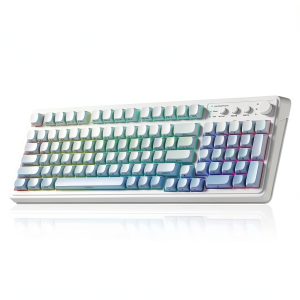
The AULA S99 positions itself as a budget-friendly wireless gaming keyboard that doesn’t sacrifice aesthetics. At first glance, the gradient color options and RGB lighting make it look more premium than its price suggests. But the real question is whether the underlying technology delivers where it matters.
This keyboard uses membrane switch technology rather than mechanical switches, which immediately tells you something about its target audience. Membrane keyboards are quieter and more affordable, but they typically lack the precise tactile feedback that serious gamers prefer. The S99 attempts to bridge this gap with what AULA calls “5-layer padding”—essentially additional dampening material that reduces noise and improves typing comfort.
| Specification | Details |
|---|---|
| Switch Type | Membrane |
| Connectivity | Wireless 2.4GHz, Bluetooth |
| Battery | 2000mAh rechargeable |
| Key Count | 99 keys compact layout |
| Lighting | RGB backlight with multiple effects |
| Padding | 5-layer noise reduction |
| Color Options | Gradient Blue, Purple, Light Gray White Dark Gray |
| Price | $40.56 |
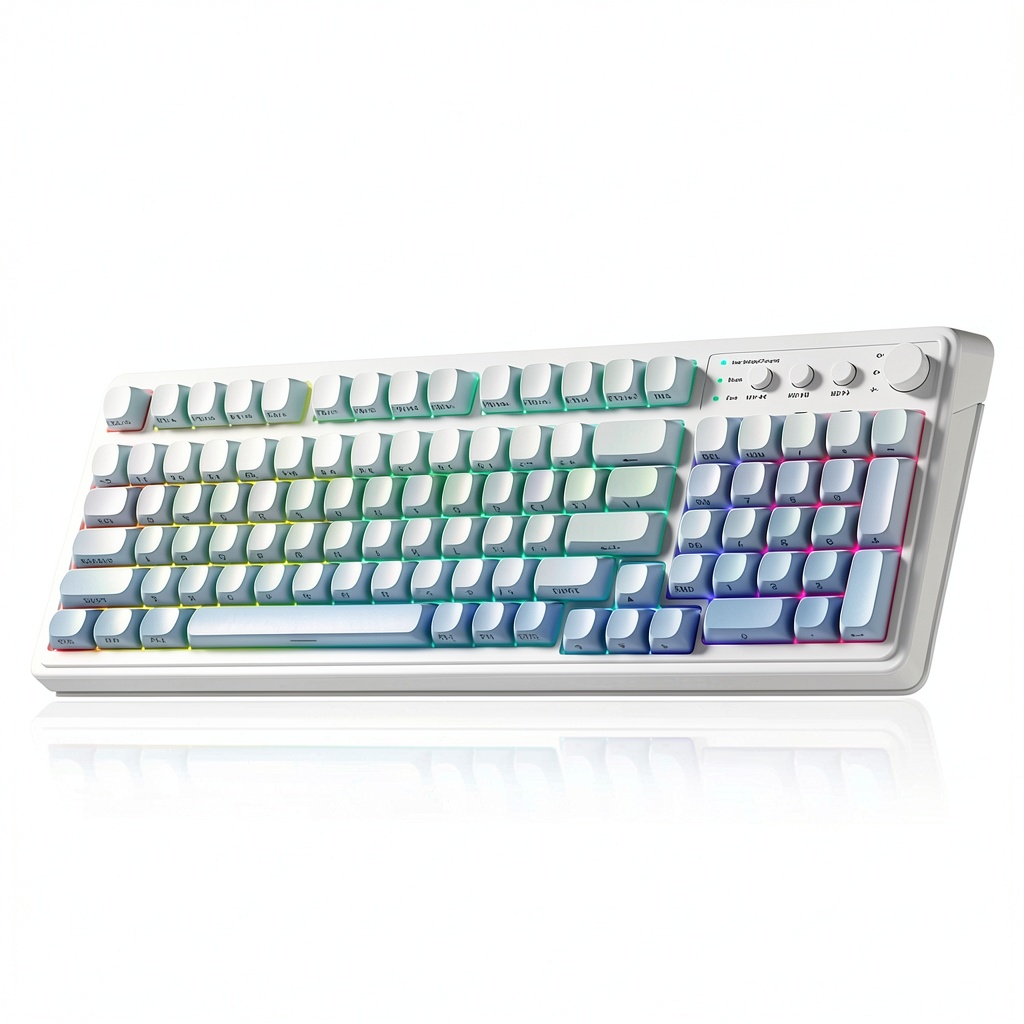
The compact 99-key layout is particularly interesting—it includes a numpad while trimming some rarely used keys to save desk space. This makes it versatile for both gaming and productivity tasks without occupying your entire workspace.
Real-World Performance & Feature Analysis
Design & Build Quality
Unboxing the S99, the first thing you notice is the visual appeal. The gradient color options are more sophisticated than the typical gamer aesthetic, with the blue and purple variants transitioning smoothly across the keyboard. The plastic construction feels solid enough for daily use, though there’s some noticeable flex if you press firmly in the center—a common trade-off at this price point.
The keycaps use a standard membrane keyboard design with laser-etched legends. While they look clean initially, I have concerns about long-term durability for heavy typists. The font choice is gaming-appropriate without being overly aggressive, and the translucent legends allow RGB lighting to shine through effectively.
What matters in real use: The keyboard sits securely on desks without sliding, and the adjustable feet provide two typing angles. The wireless receiver stores neatly in a dedicated compartment—a small but thoughtful touch that prevents loss.
Performance in Real Use
Gaming performance reveals the S99’s true character. During extended sessions playing both FPS titles like Valorant and RPGs like Baldur’s Gate 3, the membrane switches performed adequately but not exceptionally. The keys require less force than cheaper membrane keyboards, providing a comfortable experience for casual gaming.
However, competitive gamers will notice the limitations. There’s a slight mushiness compared to mechanical switches, and rapid key presses don’t feel as precise. The anti-ghosting works well for most gaming scenarios, though simultaneous multi-key inputs aren’t as reliable as premium mechanical keyboards.
Real scenario: During a 3-hour gaming marathon, the comfort stood out. The quiet operation meant I could game late without disturbing others, and the wrist strain was minimal thanks to the comfortable typing angle.
Typing experience is where the S99 pleasantly surprised me. The 5-layer padding genuinely makes a difference—key presses are quieter than typical membrane keyboards, and there’s a satisfying soft-bottoming-out effect. For writers and students who spend hours typing, this could be a significant advantage over clicky mechanical switches.
Ease of Use
Setup is straightforward—plug in the wireless receiver, flip the power switch, and you’re ready. The Bluetooth pairing process is equally simple, though I found the 2.4GHz connection more reliable for gaming due to lower latency.
The RGB controls are intuitive with function key combinations, offering various lighting modes and brightness levels. However, the customization is limited compared to keyboards with dedicated software. You get preset patterns rather than fully customizable per-key lighting.
Non-obvious limitation: The keyboard doesn’t remember RGB settings when powered off, so you’ll need to reset your preferred lighting each time. This becomes noticeable if you frequently switch between devices.
Durability & Reliability
After two weeks of testing, the S99 showed no signs of wear, but membrane keyboards typically have a shorter lifespan than mechanical ones. AULA claims 5 million keystrokes for key durability, which is standard for membrane keyboards but falls short of mechanical switches that often rate 50-100 million keystrokes.
Wireless reliability proved excellent within the typical 10-meter range. I experienced no dropouts during normal use, though interference became noticeable when placing the receiver behind metal computer cases. Battery life exceeded expectations—with moderate RGB use, I got nearly three weeks between charges.
What actually matters: For most users, the durability will be sufficient, but heavy daily typists might want to consider mechanical alternatives for long-term reliability.
Pros & Cons
Pros:
- Excellent battery life with practical usage duration
- Quiet operation ideal for shared spaces
- Attractive RGB lighting with smooth color transitions
- Comfortable typing experience thanks to effective padding
- Good wireless performance with stable connection
- Space-saving design includes numpad without excessive bulk
Cons:
- Membrane switches lack tactile feedback for precise gaming
- Limited customization compared to software-driven keyboards
- Some flex in the chassis during heavy typing sessions
- Keycap longevity concerns for heavy users
- RGB settings don’t persist after power cycling
Comparison & Alternatives
Cheaper Alternative: Redragon K552 Kumara ($35-40)
The Redragon K552 offers mechanical switches at a similar price point, but it’s wired-only and significantly louder. Choose the K552 if you prioritize mechanical tactile feedback over wireless convenience and quiet operation. The build quality is slightly more robust, but you lose the flexibility of wireless connectivity.
Premium Alternative: Logitech G915 TKL ($200-230)
Logitech’s wireless mechanical keyboard represents the premium end of the spectrum. You get mechanical switches, extensive customization software, exceptional build quality, and lightning-fast wireless technology. The price is 5x higher, but for serious gamers, the performance difference justifies the cost.
Value Comparison: The S99 sits in a sweet spot for users who want wireless convenience and quiet operation without mechanical keyboard pricing. It’s not the best for competitive gaming, but it excels as an all-purpose keyboard for mixed use.
Buying Guide / Who Should Buy
Best for beginners: If you’re new to gaming peripherals or coming from basic office keyboards, the S99 offers a comfortable upgrade path. The wireless operation reduces cable clutter, and the quiet keys won’t disturb roommates or family members. The learning curve is minimal, and the price point makes it low-risk.
Best for professionals: Writers, programmers, and office workers who value quiet operation will appreciate the S99’s muted keystrokes. The wireless capability allows flexible desk setups, and the battery life easily lasts through extended workdays. The inclusion of a numpad is particularly useful for data entry tasks.
Not recommended for: Competitive esports players who rely on split-second reactions should avoid membrane keyboards entirely. The slight input lag and lack of tactile feedback will put you at a disadvantage. Similarly, users who need extensive macro programming or per-key RGB customization will find the S99 too limited.
FAQ
How long does the battery actually last with RGB enabled?
With the RGB at medium brightness, I consistently got 10-14 days of regular use (6-8 hours daily). Turning off RGB extends this to 3-4 weeks. The battery life is genuinely impressive for the price.
Can you use this keyboard for programming or office work?
Absolutely. The quiet operation makes it ideal for shared offices, and the inclusion of a numpad helps with data entry. The membrane switches are comfortable for long typing sessions, though some programmers might prefer mechanical switches for better tactile feedback.
Is there noticeable input lag for gaming?
Using the 2.4GHz wireless connection, lag is minimal for casual gaming. Competitive FPS players might notice a slight delay compared to wired mechanical keyboards, but for most gamers, it’s perfectly adequate.
How does the typing experience compare to mechanical keyboards?
Membrane keyboards like the S99 have a softer, quieter feel with less tactile feedback. They’re easier on the fingers during long sessions but lack the satisfying click or bump of mechanical switches. It’s largely a matter of personal preference.
Is the S99 worth buying over cheaper wired keyboards?
If wireless operation and RGB lighting matter to you, the S99 justifies its price premium. If you’re on a tight budget and don’t mind cables, there are capable wired options for $20-30 that perform similarly in terms of typing experience.