Table of Contents
- Key Takeaways
- Quick Verdict
- Product Overview & Specifications
- Real-World Performance & Feature Analysis
- Design, Build Quality & Installation
- Performance in Real Gaming and Music Scenarios
- Ease of Use: The Govee Home App
- Durability and Reliability Over Time
- Pros & Cons
- Comparison & Alternatives
- Buying Guide / Who Should Buy
- FAQ
You’ve seen those slick gaming setups with lights that pulse with the on-screen action and wonder: does that actually make a difference, or is it just for show? After sinking hours into everything from fast-paced FPS games to immersive RPGs with the Govee DreamView LED Gaming Lights strapped to my monitor, I can tell you the effect is real—but it’s not a one-size-fits-all upgrade.
This isn’t a spec sheet rundown. This is a practical breakdown from someone who’s fumbled with the adhesive, tweaked every app setting, and experienced both the ‘wow’ moments and the frustrations. Whether you’re a streamer looking to boost production value or a casual gamer wanting to enhance immersion, I’ll help you cut through the hype and decide if the DreamView is the right lighting solution for your battle station.
Key Takeaways
- The music sync is genuinely impressive for casual listening and party atmospheres, but its utility for hardcore, competitive gaming is limited and can be distracting.
- Setup is straightforward for flat-backed monitors, but the adhesive is a permanent commitment; measure your monitor’s bezel thickness before buying.
- The 42+ scene modes offer great ‘set-and-forget’ ambience for work or relaxation, making the lights more versatile than just a gaming accessory.
- App control is robust but relies on a stable 2.4GHz Wi-Fi connection; Bluetooth-only mode offers limited functionality.
- For the price, it delivers solid value against competitors, but those seeking hyper-accurate screen-wide color matching should look at more advanced camera-based systems.
Quick Verdict
Best for: Gamers and streamers who want an easy-to-install, app-controlled lighting system to enhance immersion during single-player games and create a dynamic backdrop for content creation. It’s also excellent for anyone who wants multi-functional lighting for gaming, music listening, and general room ambience.
Not ideal for: Competitive esports players who need zero distractions, users with curved monitors or unusually thick bezels, or those who demand pixel-perfect color accuracy across the entire screen without using an external camera.
Core Strengths: Vibrant colors, incredibly simple installation on compatible monitors, a wide array of scene modes, and responsive music sync that works well for parties and casual use.
Core Weaknesses: The screen-matching ‘Highlight’ feature is less precise than premium camera-based systems, the adhesive is very strong (a pro and a con), and the experience is heavily dependent on your network setup.
Product Overview & Specifications
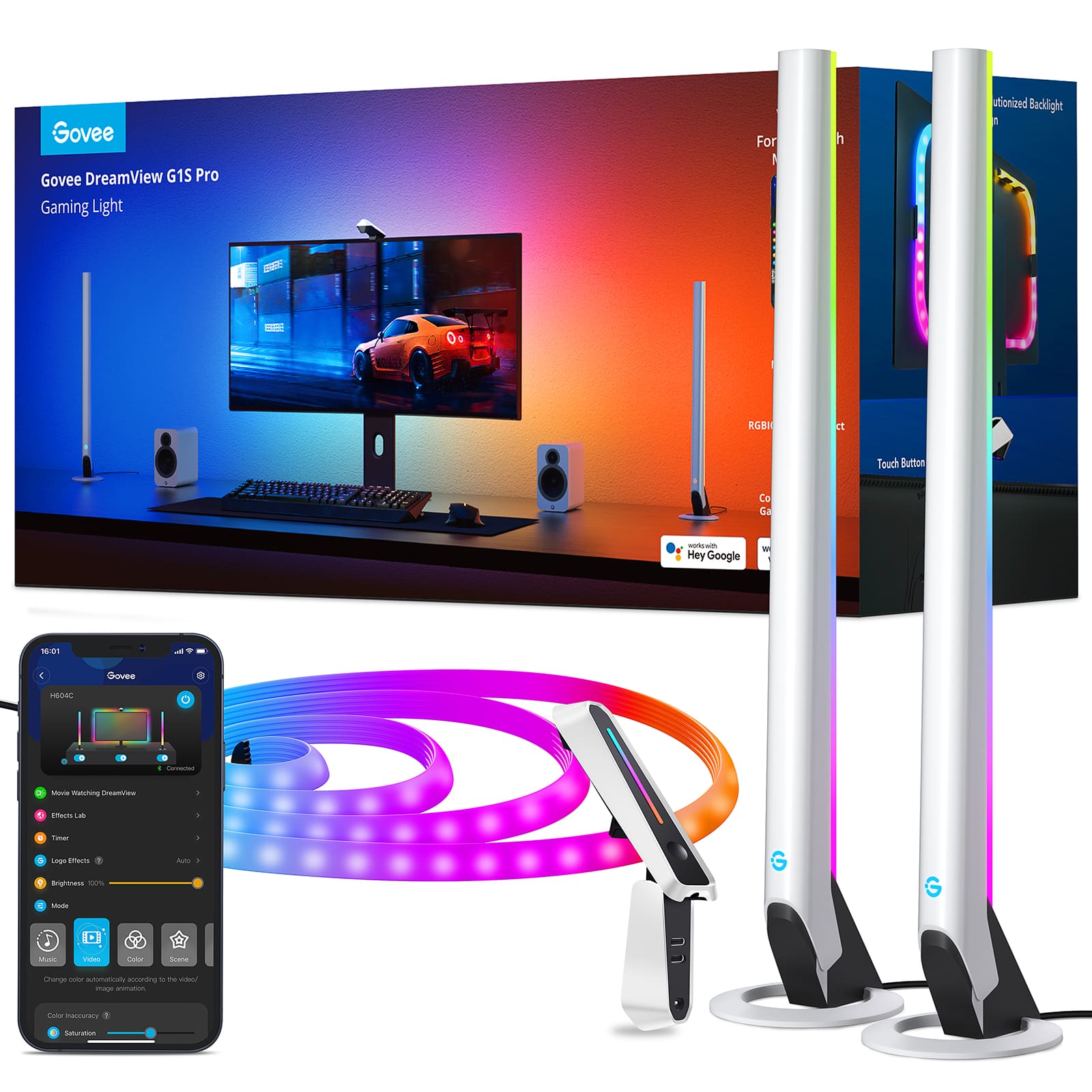
The Govee DreamView T1 (the model I tested) is a bias lighting system designed specifically for gaming setups. The core idea is to extend the colors from your screen onto the wall behind it, reducing eye strain in dark rooms and creating a more immersive field of view. The kit typically includes four LED strips: two short ones for the top and bottom of your monitor and two long ones for the sides, all connecting to a central control box.
What sets it apart from basic RGB strips is the DreamView functionality, which uses a combination of pre-set algorithms and, in some models, an optional camera to synchronize the lights with your screen’s content or the audio from your room.
| Specification | Details |
|---|---|
| Model | Govee DreamView T1 (Representative Model) |
| LED Type | RGBIC LEDs (Multiple colors per strip) |
| Connectivity | Wi-Fi (2.4GHz) & Bluetooth |
| Control Method | Govee Home App (iOS/Android) |
| Key Features | 42+ Scene Modes, Music Sync, Highlight Sync, DIY Mode |
| Power Source | AC Adapter |
| Compatibility | Flat-back monitors, 20-27 inch (check model specifics) |
Real-World Performance & Feature Analysis
Design, Build Quality & Installation
Unboxing the DreamView feels premium. The LED strips are flexible and have a good weight to them, not the flimsy feel of cheaper alternatives. The 3M adhesive on the back is exceptionally strong. This is great for long-term stability but a word of caution: you get one shot at placement. I recommend cleaning your monitor’s back panel with isopropyl alcohol and carefully following the diagram for strip placement. On my flat-backed 27-inch monitor, the entire process took about 15 minutes. The cables from the strips to the control box are a decent length, but if your monitor is wall-mounted with the inputs hard to reach, you might need to plan your cable management carefully.
The control box is compact and vents well; after a 6-hour gaming session, it was only slightly warm to the touch. This is a small but important detail that speaks to good internal design.
Performance in Real Gaming and Music Scenarios
This is where the rubber meets the road. I tested the DreamView in two primary scenarios:
Scenario 1: Immersive Single-Player Gaming (God of War Ragnarök)
I used the ‘Highlight’ sync mode, which aims to match the on-screen colors. The effect is undeniably cool. When Kratos’ Leviathan Axe glowed blue, the wall behind my monitor echoed the hue, making the snowy landscapes feel more expansive. It doesn’t replicate the screen pixel-for-pixel—instead, it takes dominant colors and projects them outward. For cinematic, story-driven games, this significantly enhances the experience, pulling you deeper into the world. It’s less about functional advantage and more about emotional immersion.
Scenario 2: Competitive Gaming & Music Sync (Apex Legends & Spotify)
Here’s the trade-off. In a fast-paced game like Apex, the constantly shifting lights during a firefight were more distracting than helpful. I quickly switched to a static deep blue to reduce eye strain without pulling focus. However, the music sync mode is a party stopper. I hosted a small get-together and had the lights in music mode with a playlist running. The lights pulsed and danced to the beat, creating a fantastic atmosphere that impressed everyone. The microphone on the control box did a respectable job of picking up the rhythm, even in a moderately noisy room.
Ease of Use: The Govee Home App
The Govee Home app is the brains of the operation. It’s intuitive, if a bit crowded with options. Setting up the Wi-Fi was straightforward, but be aware: it requires a 2.4GHz network. If your router merges 2.4GHz and 5GHz under one name (band steering), you might encounter connection issues. Once connected, browsing the 42+ scene modes is fun. Modes like ‘Video Game’ and ‘Ocean’ are vibrant and dynamic, while ‘Reading’ offers a steady, warm white light perfect for late-night work sessions. The DIY mode lets you create custom color layouts, which is great for matching your specific team colors or aesthetic.
Durability and Reliability Over Time
After several weeks of use, the lights have shown no signs of dimming or color shift. The adhesive is holding strong. The only reliability concern is app-related. On two occasions, after a router reboot, the lights failed to reconnect automatically and required a quick manual reconnection in the app. It’s a minor annoyance, but worth noting for those who expect a completely seamless smart home experience.
Pros & Cons
Pros:
- Easy Installation: The process is well-documented and simple for standard monitors.
- Excellent Music Sync: Truly responsive and enjoyable for creating ambient lighting for music and videos.
- Versatile Scene Modes: The 42+ modes provide a huge range of looks for different moods and activities.
- Strong Build Quality: The strips and controller feel durable and well-made.
- Vibrant Colors: The RGBIC LEDs produce rich, bright colors without noticeable banding.
Cons:
- Aggressive Adhesive: Misplacement is difficult to correct without potentially damaging the strips.
- Wi-Fi Dependency: Requires a stable 2.4GHz network for full functionality; Bluetooth mode is basic.
- Limited Competitive Gaming Use: The dynamic lighting can be distracting in games requiring intense focus.
- Not for Curved Monitors: Designed specifically for flat-back panels, limiting compatibility.
Comparison & Alternatives
How does the DreamView stack up against the competition? Here’s a practical comparison based on value and performance.
Cheaper Alternative: Generic RGB LED Strip with Music Mode
You can find no-name RGB strips on Amazon for a fraction of the price. They’ll stick to your monitor and might even have a basic music mode that uses a microphone.
Value Difference: The cost savings are significant.
When to choose it: If you’re on an extreme budget and only want a static color or a very basic pulsating music effect. You’ll sacrifice the seamless app control, the precise color matching, the high-quality build, and the extensive scene modes of the Govee. It’s a cosmetic solution, not an immersive one.
Premium Alternative: Philips Hue Play Gradient Lightstrip + Sync Box
This is the high-end benchmark for TV and monitor bias lighting. It uses a HDMI sync box to analyze the video signal directly for perfect, multi-zone color matching.
Value Difference: The Philips Hue system can cost 3-4 times more than the Govee DreamView.
When to choose it: If you are a serious home theater enthusiast or a streamer who demands absolute color accuracy and seamless integration across multiple devices. The investment is substantial, but the performance is unmatched. For most gamers, the Govee offers 80% of the experience at 25% of the cost.
Buying Guide / Who Should Buy
Making the right choice depends entirely on your needs and setup.
Best for Beginners: If you’re new to smart lighting, the Govee DreamView is a fantastic starting point. The app is user-friendly, and the preset scenes let you achieve great results without any technical know-how. It’s a plug-and-play solution that delivers immediate satisfaction.
Best for Professionals/Streamers: For streamers, this product is a great tool. It adds a layer of production value to your background with minimal effort. The music sync is perfect for intermission screens or just chatting segments, making your stream more dynamic even when you’re not in a game.
Not Recommended For:
Competitive Esports Players: The changing lights are a distraction when milliseconds count. Stick to a neutral bias light or no extra lighting.
Users with Curved Monitors: The strips are not designed to bend and adhere properly to a curved surface.
Those with Unstable Wi-Fi: If your 2.4GHz network is congested or unreliable, you’ll experience frustration with connectivity.
FAQ
Q: Can I cut the LED strips to fit a smaller monitor?
A: No, the Govee DreamView strips are not cuttable. They are pre-configured segments designed for specific monitor size ranges. Be sure to buy the model that corresponds to your monitor’s size.
Q: Does the music sync work with PC audio, or just through the microphone?
A: The model I tested primarily uses the built-in microphone to react to ambient sound. Some other Govee products offer direct audio sync via the app from your phone, but for gaming PC audio, the microphone is the standard method. It works surprisingly well.
Q: Is the ‘Highlight’ sync mode as good as more expensive camera-based systems?
A> It’s good, but not as precise. Camera-based systems (like some higher-end Govee models or the Philips Hue Sync Box) analyze the screen directly for more accurate and zonal color matching. The DreamView’s method is more of an approximation, but for most users, it’s immersive enough.
Q: I have a dual-monitor setup. Can one kit cover both?
A> No, one kit is designed for a single monitor. The strips and controller are calibrated for one display. For a dual setup, you would need two separate kits, which the app can control simultaneously.
Q: Is the Govee DreamView worth $100?
A> If you’re looking for an easy-to-use, multifunctional lighting system that enhances gaming immersion and doubles as great room ambiance, then yes, it represents solid value. You’re paying for the convenience, app integration, and specific gaming features that a generic strip light can’t match. If you only want a simple static backlight, it’s overkill.



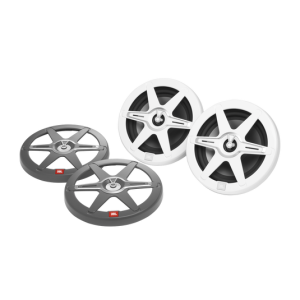 JBL CLUB82 Marine Speaker 8 Inch RGB Illuminated Outdoor